


Essential Guide to Network Cabling and Workstation Setup for Maximum Efficiency

Setting up a reliable network and efficient workstations is crucial for any workspace aiming to boost productivity and reduce downtime. Poor cabling or a cluttered workstation can slow down operations and frustrate users. This guide covers practical steps and tips to help you design and implement network cabling and workstation setups that support smooth, fast, and organized workflows.
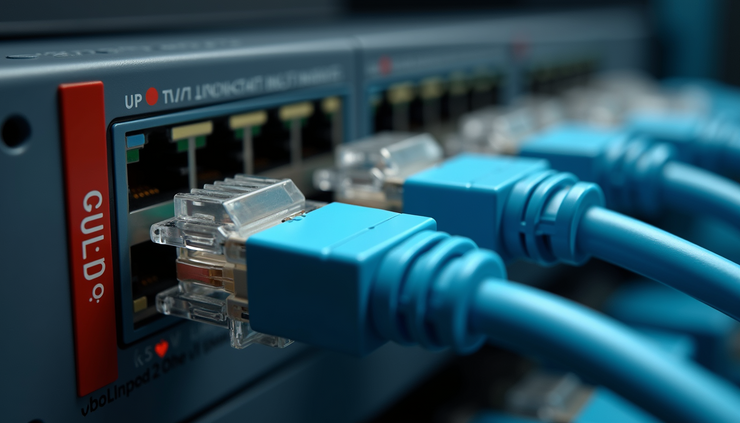
Planning Your Network Cabling
Before buying cables or hardware, plan the network layout carefully. Consider the following:
Assess your workspace size and layout
Measure distances between workstations, network closets, and routers. This helps determine cable lengths and the best routing paths.
Choose the right cable type
For most office setups, Cat6 cables offer a good balance of speed and cost, supporting up to 10 Gbps over 55 meters. For longer runs or higher speeds, Cat6a or fiber optic cables may be necessary.
Map out cable routes
Avoid running cables near electrical wiring to reduce interference. Use cable trays, conduits, or raceways to keep cables organized and protected.
Plan for future growth
Install extra cables or conduits where possible to accommodate new workstations or devices without major rewiring.
Best Practices for Network Cabling Installation
Proper installation ensures durability and performance:
Label both ends of each cable
Use clear, consistent labels to identify connections quickly during troubleshooting or upgrades.
Maintain proper cable bend radius
Avoid sharp bends that can damage cables or degrade signal quality. Follow manufacturer guidelines for minimum bend radius.
Use cable management tools
Velcro straps, cable ties, and cable organizers keep cables neat and prevent tangling.
Test cables after installation
Use a cable tester to verify continuity, wiring order, and signal quality before finalizing the setup.
Setting Up Workstations for Efficiency
A well-organized workstation supports comfort and productivity:
Position workstations near network outlets
This reduces the need for long cables and potential signal loss.
Use cable management under desks
Cable trays or clips keep cords off the floor and prevent tripping hazards.
Arrange peripherals logically
Place monitors, keyboards, and other devices within easy reach to reduce strain.
Ensure adequate power supply
Use surge protectors and power strips with enough outlets for all devices.
Integrating Network and Workstation Setup
Combining network cabling and workstation setup creates a seamless environment:
Plan workstation layouts alongside network design
This avoids last-minute cable rerouting and clutter.
Use patch panels in network closets
Patch panels simplify connecting and disconnecting cables, making maintenance easier.
Consider wireless options where appropriate
For devices that move frequently, wireless connections reduce cable clutter but should complement wired setups for stability.
Document your setup
Keep diagrams and lists of cable runs, outlet locations, and device connections for future reference.
Troubleshooting Common Issues
Even with careful planning, problems can arise:
Slow network speeds
Check for damaged cables, loose connections, or interference sources.
Intermittent connectivity
Inspect cable terminations and test with a cable tester.
Cluttered workstations
Reassess cable management and consider wireless peripherals if feasible.
Power issues
Verify power strips and outlets, and avoid overloading circuits.


Comments